Flight Path Visualiser (Manna Drone Delivery)
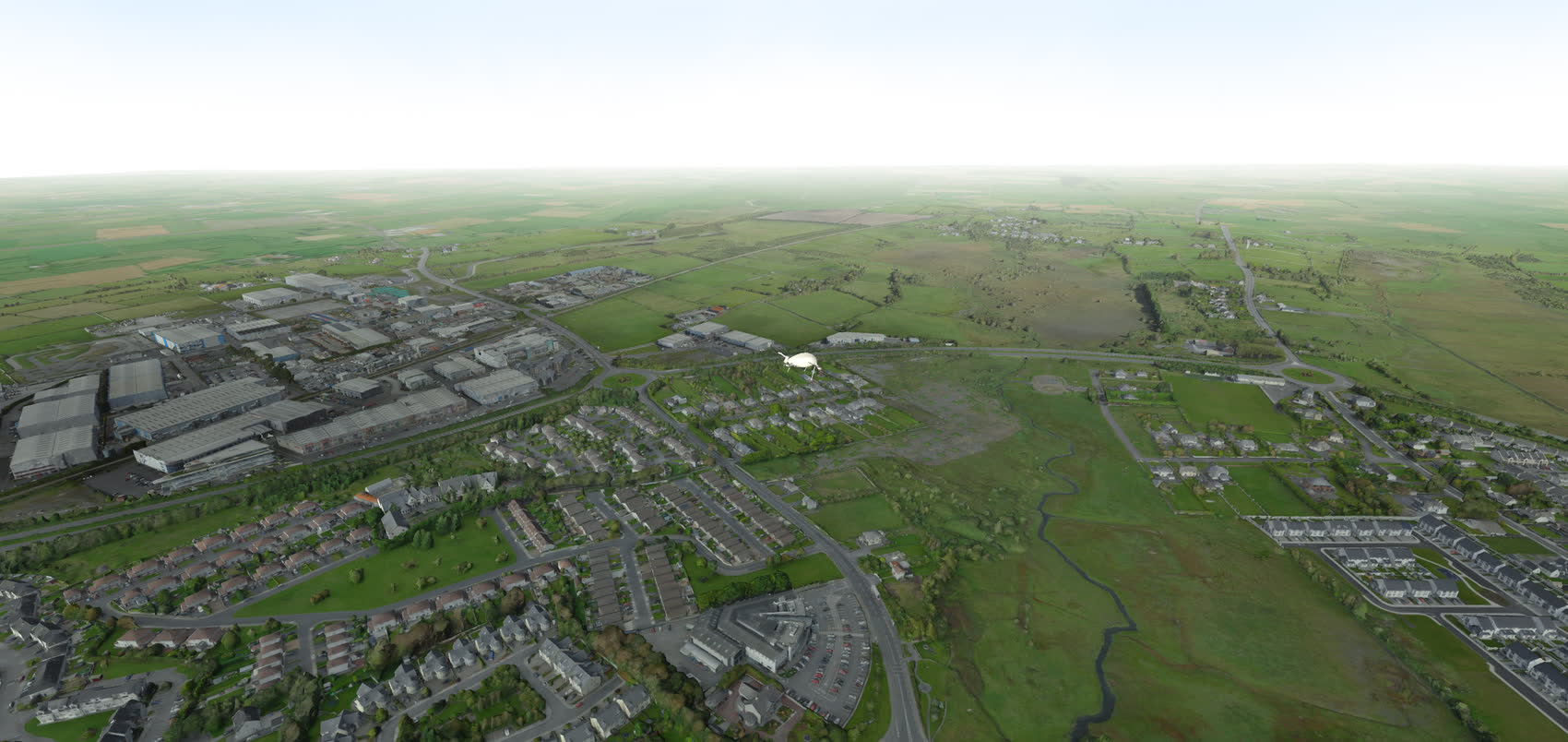
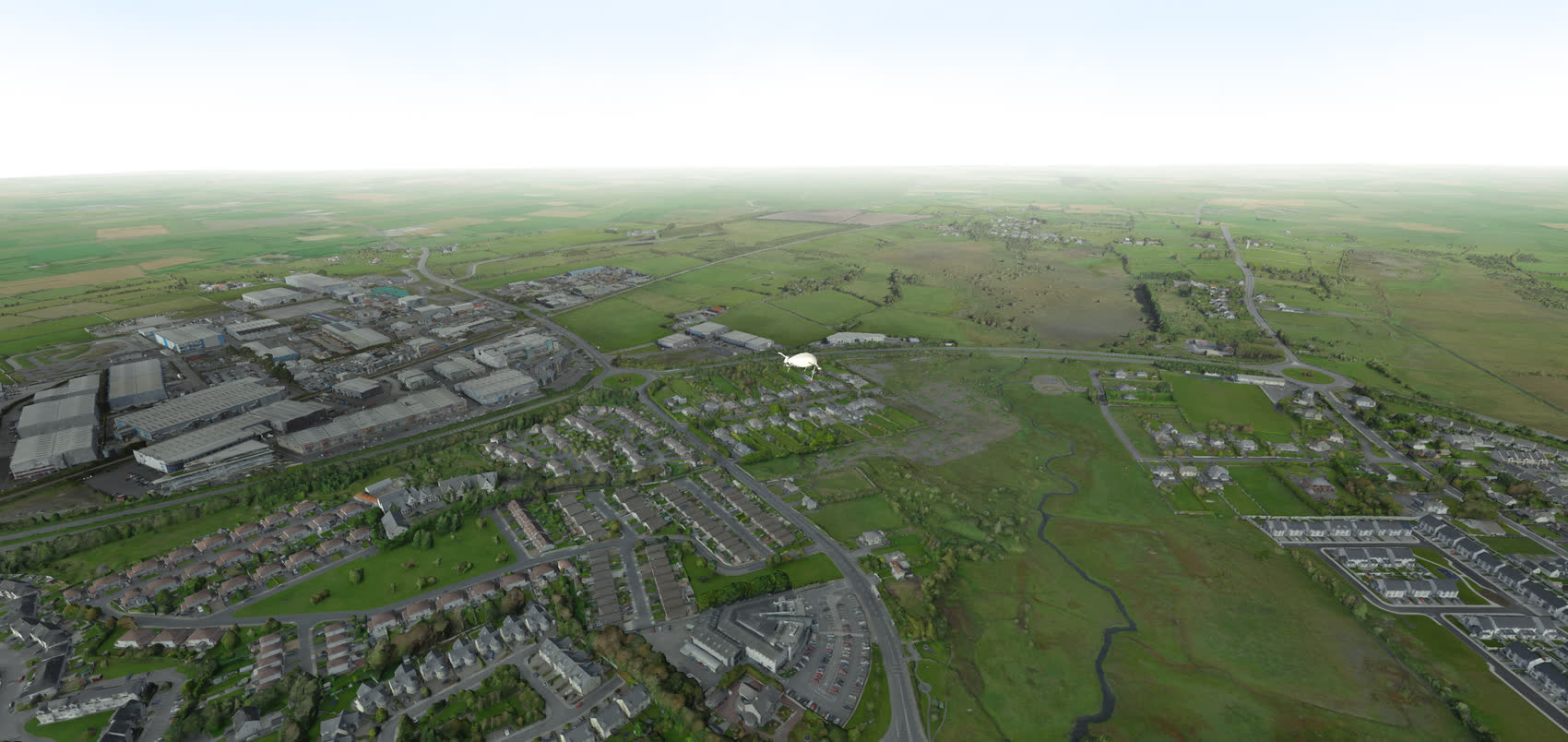
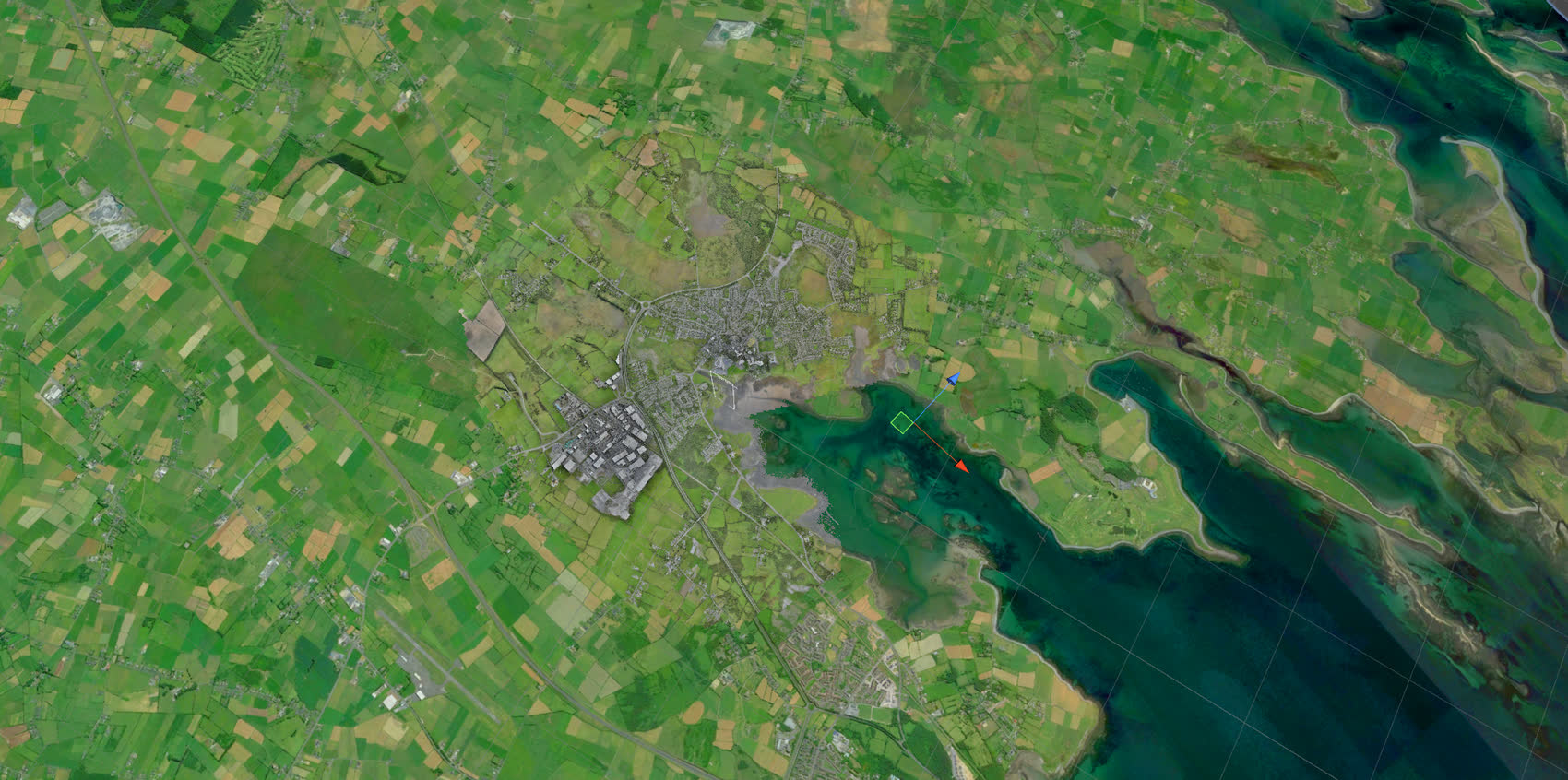
A visualiser for Manna's offices: a large immersive screen where, above a digital twin of the town, you see the flight plan sent to a drone, the air corridor assigned to it, and the route it actually flew. The town was rebuilt through photogrammetry across four by four kilometres.
Context & Challenges
- A demonstration tool: Manna wanted to show, from their offices, their drones replaying real flight plans on a large screen. The point was as much to prove the prototype worked as to make it legible to a visitor.
- Showing safety rather than claiming it: by displaying the transmitted plan, the assigned corridor and the actual route side by side, Manna could demonstrate its drones stay within their corridor.
- Recognisable ground: reading a trajectory only makes sense if the ground can be identified, which called for faithful photogrammetry rather than a stylised map.
- A tight rendering budget: raw high resolution photogrammetry over 16 km² is unusable in real time, and had to be brought down to a cost Unity could handle without losing legibility.
- Two coordinate systems: flight plans came in GPS coordinates, the scene lived in Unity space.
Engineering & Method
- Photogrammetry chain: drone capture by a local team, point cloud and mesh processing by Stephan Sturges in our studio.
- Automated post-processing: a Houdini pipeline handling decimation, UV re-unwrapping and texture reprojection, applied repeatably across the whole area.
- Artificial horizon: a low resolution topographic model extends the map beyond the captured zone, and a fog reproducing aerial perspective hides its edges.
- Geographic mapping: a calibration algorithm between surveyed GPS points and Unity coordinates, letting any trajectory be projected into the scene.
Technical Breakdown
1. Making 16 km² of photogrammetry run in real time
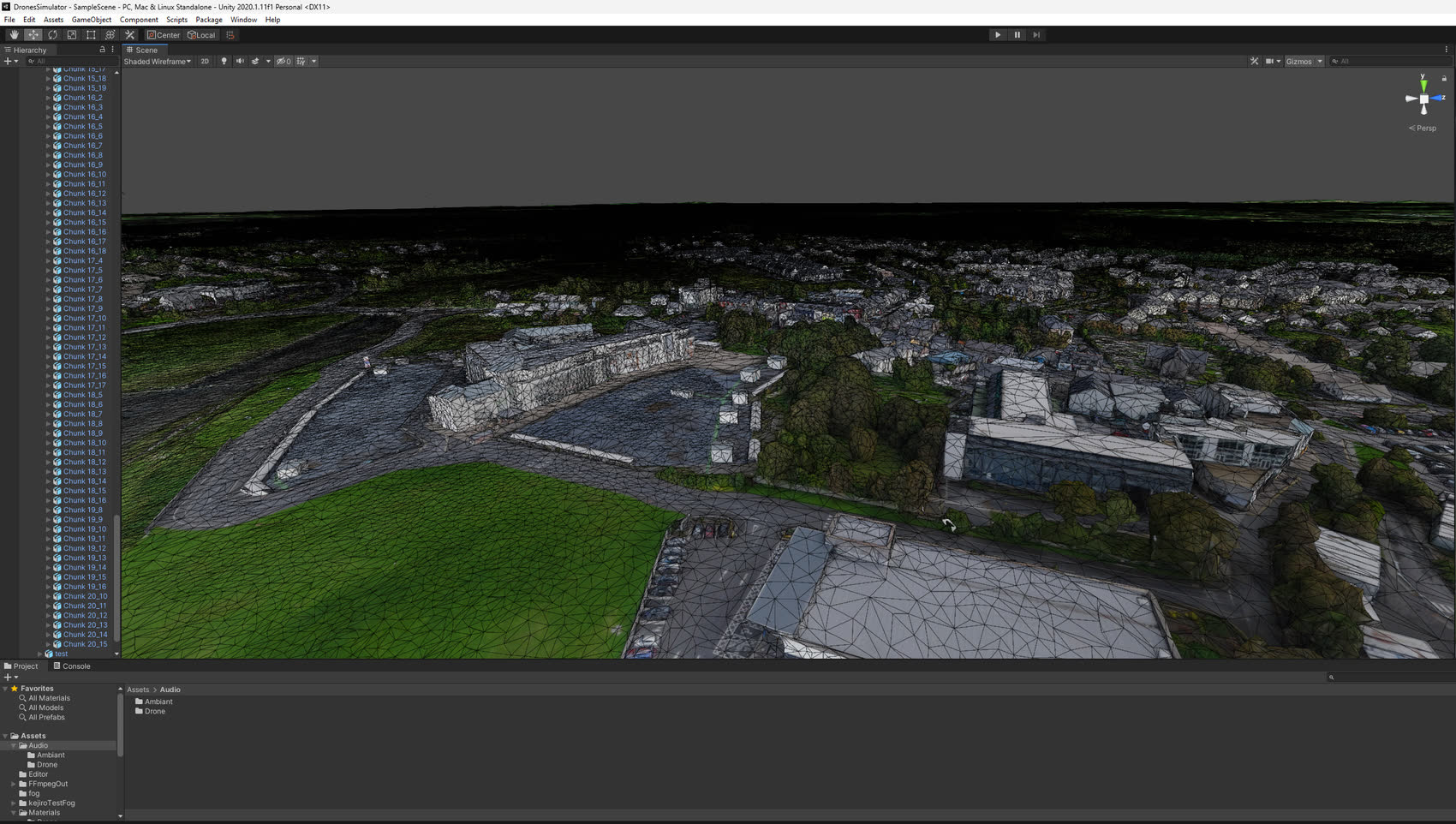
Challenge: photogrammetry meshes are dense, irregular and carry UVs unfit for a real time engine. Simplifying them naively destroys texture detail, which is exactly what makes the ground recognisable. And the area did not come as a single object: 265 separate 3D models had to be processed, ruling out any manual pass.
Solution: an automated Houdini pipeline that decimates the mesh, rebuilds a clean UV unwrap, then reprojects the original high resolution textures onto the lighter mesh. Geometric cost collapses while visual definition is preserved. The terrain is then split into chunks so Unity can stream it piece by piece.
The test that proves the pipeline: the full scene runs on a Pixel 4a, a mid range phone released in 2020. Fitting sixteen square kilometres of photogrammetry onto that hardware is the real measure of what the optimisation achieved.
2. Extending the world past the captured zone
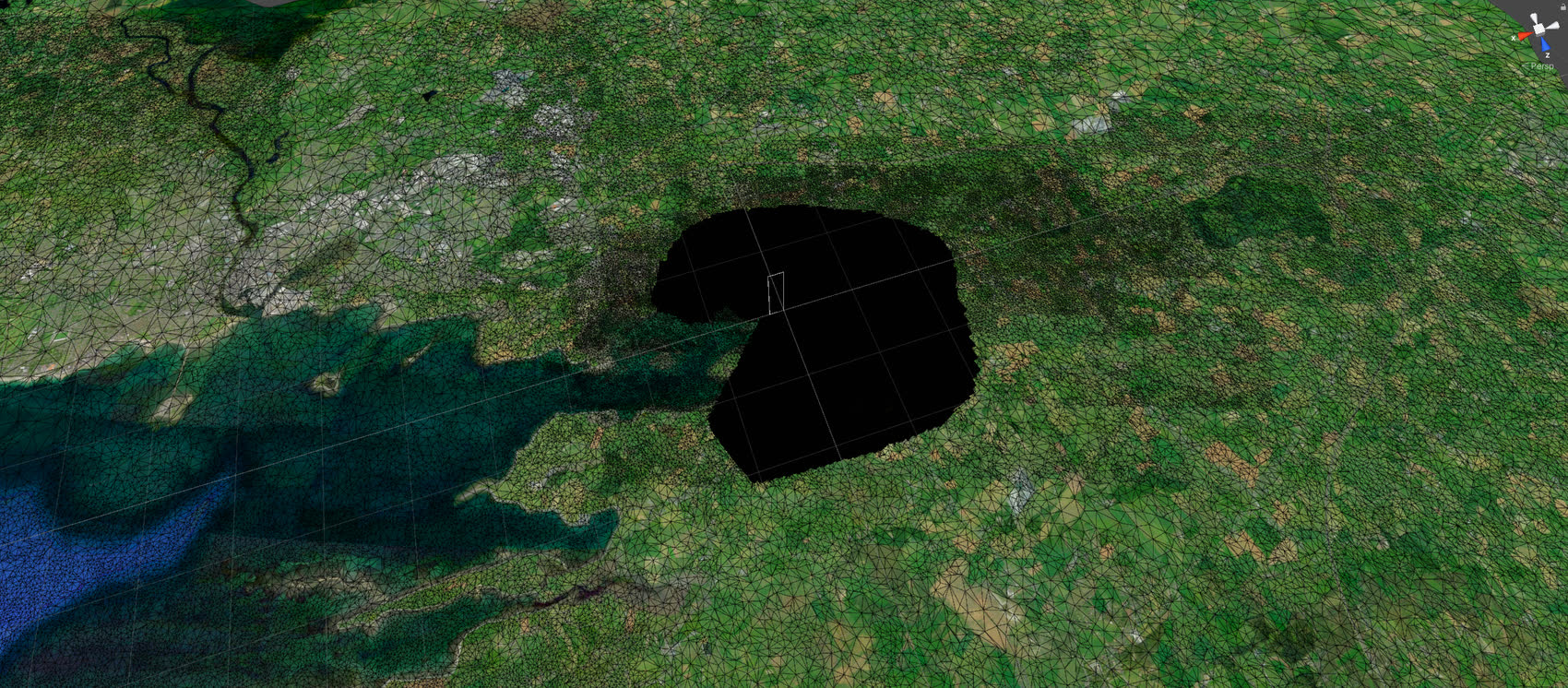
Challenge: photogrammetry stops dead at the edge of the captured square. Seen from a drone at altitude, that hard edge gives the whole thing away.
Solution: a low resolution topographic model takes over all the way to the horizon, with a cutout reserved for the high definition zone. A fog imitating aerial perspective, the bluish veil that softens distance, masks the seam and makes the transition invisible.
3. From GPS to Unity coordinates, position and altitude
Challenge: flight plans arrive as JSON, as timestamped GPS points. Unity works in a local cartesian space. Without a reliable mapping between the two, a trajectory lands hundreds of metres off.
Solution: a calibration algorithm built on several reference points surveyed in the scene, each paired with its real GPS coordinates. From those pairs it derives the transform to apply, and projects any GPS point to its exact place in the Unity world.
The altitude trap: fixing horizontal position was not enough. Drones think in height above ground, measured from their take off point, while GPS files carry an altitude expressed in a global reference frame. The two do not line up. Using raw GPS altitude would have left the paths floating well above the rooftops, or buried them in the terrain.
Solution: the launch building acts as the reference. Its height sets the zero from which every incoming altitude is reinterpreted, putting the paths back at the correct distance from the ground in the photogrammetric scene.
4. Comparing the planned flight with the one actually flown
Challenge: showing a trajectory was not enough. The point was to overlay three layers: the flight plan sent to the drone, the air corridor assigned to it, and the route it actually flew. On top of that, a playback problem: a flight plan only gives discrete points, while the display needs continuous motion.
Solution: the JSON timestamps give the time elapsed between points, and therefore the speed on each segment. The path is rebuilt by interpolating between readings, so the flight can be replayed continuously and the drone position read at any moment. The transmitted plan and the route actually flown are displayed side by side, with a volume drawing the assigned air corridor around them.
What this makes visible: not a theoretical corridor, but the fact that the drone stays inside it. That was the argument Manna could put in front of a visitor: safety is not an intention, it can be checked on screen, flight after flight.
Photogrammetry capture: local team on site.
Photogrammetry processing: Stephan Sturges.
3D pipeline, optimisation and Unity development: Sébastien Lebon.
Photogrammetry processing: Stephan Sturges.
3D pipeline, optimisation and Unity development: Sébastien Lebon.